How I Turn Vibe-Coding Into a Real Workflow as a Designer
I'm a product designer, and after rebuilding projects, testing weird bugs, and learning the SSOT lesson the hard way, I realized something else:
The real challenge wasn't just building. It was building in a way I could repeat.
That's when vibe-coding stopped feeling like random experimentation and started becoming a workflow.
Right now, my process looks roughly like this:
Long conversation → clarify logic → define SSOT → generate a PRD in Cursor → build feature by feature → verify each feature → log issues and prompts → review risks → connect GitHub → deploy on Vercel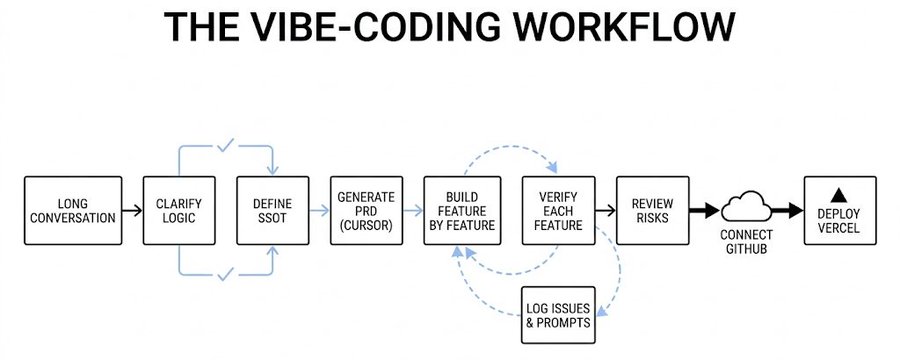
It's not glamorous, but it's the first workflow that has made shipping feel realistic for me as a designer.
1. I don't start by coding. I start by clarifying.
When I first started vibe-coding, I made the same mistake a lot of designers make: I jumped too quickly into making screens. It felt productive because things showed up fast.
But speed without clarity just meant I was generating structure before I understood what I was actually building.
Now I start with a long conversation first. Before I ask Cursor to generate anything, I try to get clear on a few things:
- What exactly am I building?
- Who is it for?
- What problem is it solving?
- What's the core object in the system?
- What could go wrong?
- What should not be built yet?
This stage feels less like coding and more like product thinking. I'm not trying to make something look good yet. I'm trying to make sure the logic has a center.
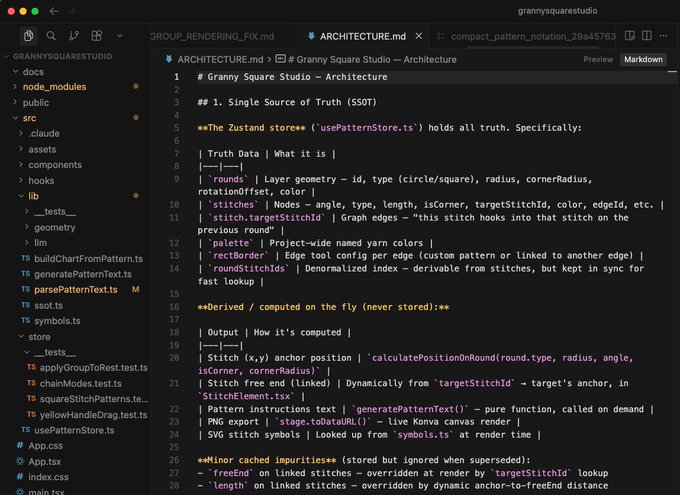
That's also where SSOT comes in. If I can't explain what the product's truth is, I'm not ready to build.
2. Then I turn that thinking into a PRD
Once the idea is clearer, I use Cursor to help me turn it into a lightweight PRD. Not because I'm trying to be formal. Not because every side project needs documentation theater.
I do it because PRDs stop me from drifting.
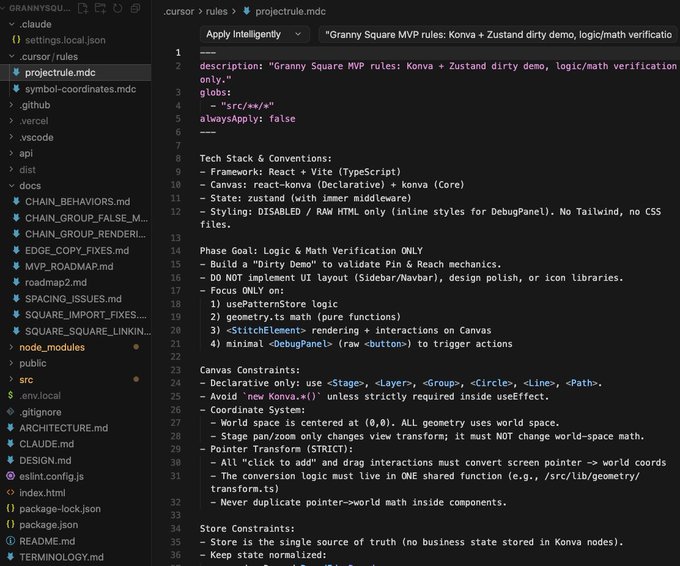
A good PRD gives the project a spine before the code starts moving. It helps me define:
- the MVP scope
- the main feature list
- the basic flow
- key risks
- what I'm intentionally not building yet
Without that step, vibe-coding can become too reactive. You ask for one thing, then another, then another, and after a while the project starts expanding in random directions. The PRD keeps the center visible.
3. I build feature by feature — but I don't move on without verification
This is probably the biggest workflow shift for me. I no longer try to build everything at once. Instead, I work feature by feature.
Build one → test one → log it → move to the next.That sounds simple, but it changed everything. The important part is that a feature isn't "done" just because it renders or runs. It has to go through a verification loop first.
And that verification doesn't always have to be fully manual:
- Sometimes I test it myself
- Sometimes I ask AI to generate test cases
- Sometimes I use multi-agent workflows — one agent builds, another proposes edge cases, and another compares expected vs actual behavior
4. Repeated issues go into the test checklist
Another habit that changed my workflow: I stopped treating repeated issues like random accidents. If the same issue shows up twice, I add it to the test checklist. At that point, it's no longer just a one-off bug — it's a recurring risk.
So my workflow now looks more like this:
Build one → test one → log what happened → update the checklist if needed → move onA lot of vibe-coded projects don't really fail from one dramatic bug. They fail from repeated instability — the same class of issue quietly returning in slightly different forms. Once I started recording recurring issues as part of the testing system, the project became much easier to stabilize.
5. I don't just log bugs — I log prompts too
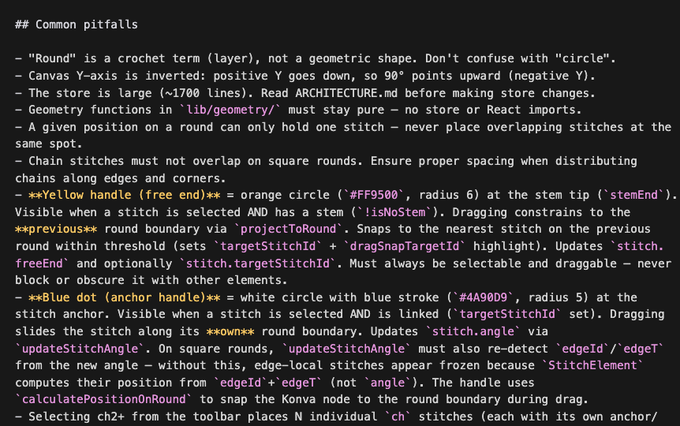
I don't only track what broke. I also track how I asked for things in the first place. Over time, I realized I wasn't just debugging the product — I was also debugging my prompts.
Sometimes the issue wasn't in the code at all. It started much earlier:
- I described the feature too vaguely
- I didn't set enough constraints
- I skipped a key assumption
- I made the scope too broad
- I let the system generate before the logic was clear
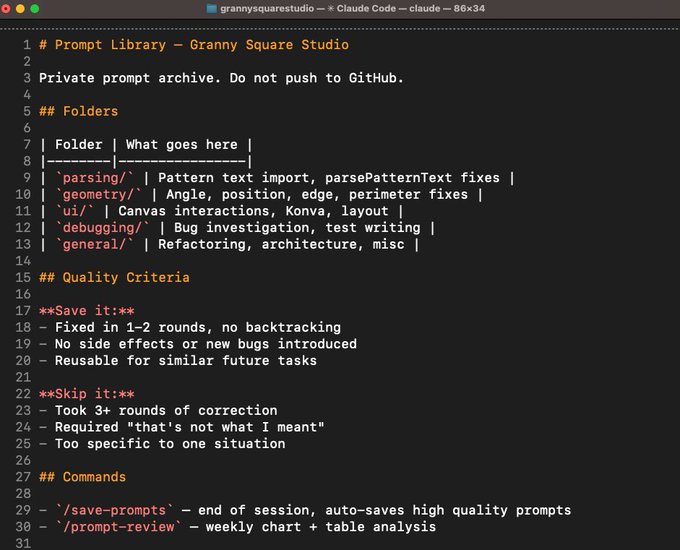
So now I keep a prompt log alongside issue tracking. That helps me review which prompts worked well, which introduced ambiguity, and which kinds of requests tend to make the project drift.
This turns vibe-coding into something much more learnable. Instead of treating each conversation like a fresh start, I'm building my own pattern library for how to ask better.
6. I try not to polish UI too early
This is probably the hardest habit for me as a designer. My instinct is always to start with the interface. If something looks polished, it feels like progress.
But early UI can create false confidence. If the underlying logic is still moving, polished UI just makes the instability harder to see.
So now I usually keep the interface basic for longer than I want to — simple structure, rough layout, minimal styling — just enough to support the logic and interaction.
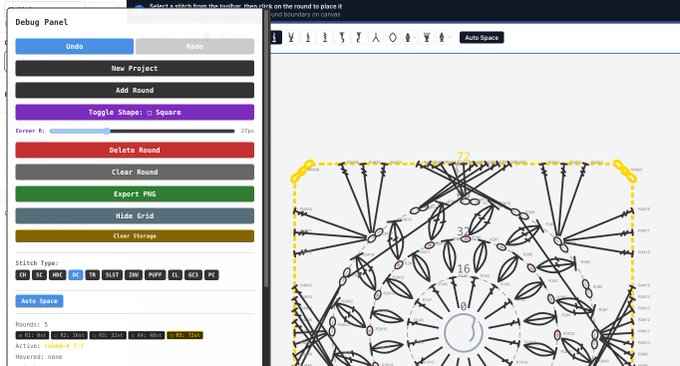
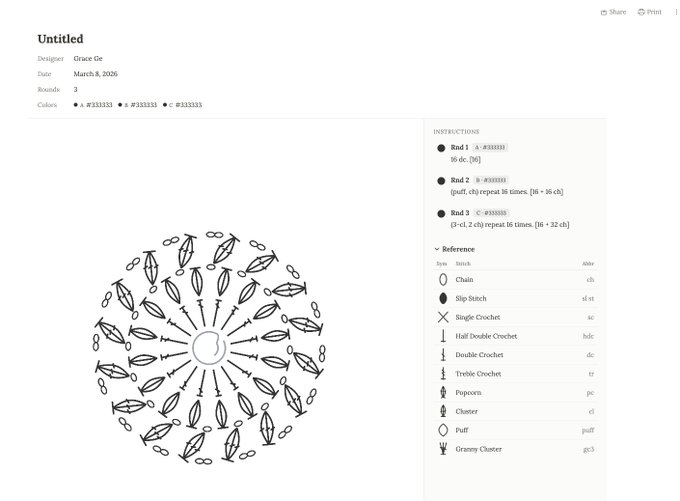
Then later, once the feature set is more stable, I'll open a new chat or a separate agent specifically for UI. That separation lets me keep one mode focused on correctness and structure, and another focused on polish, hierarchy, and visual refinement.
7. When things get messy, I change the workflow — not just the code
One of the biggest mindset changes for me was accepting that not every broken thread deserves to be saved. If a model has failed to solve the same issue multiple times, I stop assuming one more prompt will magically fix it.
I might:
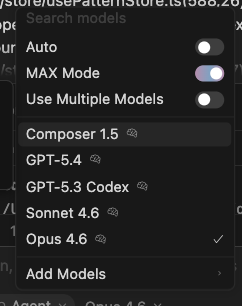
- switch models
- open a fresh chat
- split the task more narrowly
- isolate the issue before asking again
- assign different parts to different agents
Once a conversation gets too messy, too broad, or too polluted with failed attempts, continuing inside the same thread often makes things worse. A fresh conversation can be more effective than ten more "fix this" prompts.
I've learned to treat workflow friction as seriously as code friction.
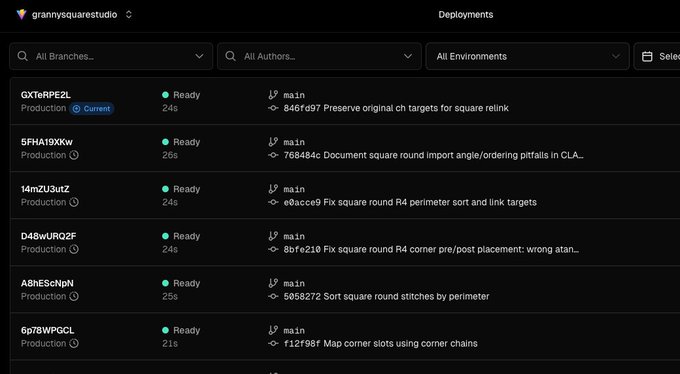
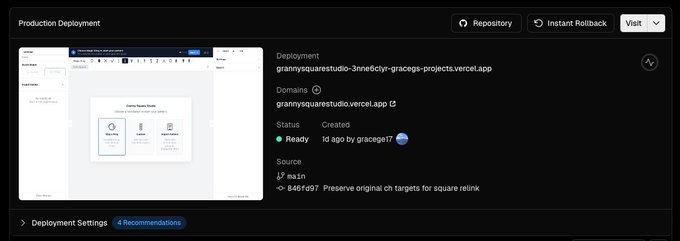
8. GitHub and Vercel are what make it feel real
At some point, the project has to stop being "something running on my machine." That's where GitHub and Vercel matter for me.
GitHub gives me version control, which means the project stops feeling fragile. I can track progress, roll back, and build with more confidence.
Vercel changes something else: psychology.
The moment a project has a live link, it stops feeling like a private experiment. Now I can:
- send it to someone
- test it outside my own environment
- see how it behaves in a more real context
- start thinking about feedback, not just construction
That shift matters. It's the moment the project starts behaving more like a product and less like a sketch.
9. This workflow didn't turn me into an engineer — it made shipping feel realistic
I don't think vibe-coding is valuable because it lets designers skip thinking. If anything, it forces more of the right thinking. It forces clarity, structure, and you to decide what the truth is, what gets tested, what gets logged, and what counts as done.
What changed things for me wasn't just "using better tools." It was building a workflow I could repeat:
- clarify first
- define the truth
- narrow the scope
- build feature by feature
- verify before moving on
- log risks and prompts
- update the system when patterns repeat
- ship when it's real enough to be seen
That workflow hasn't made me an engineer. But it has made shipping feel much more realistic. And for me, that's been the real breakthrough.